> ## Documentation Index
> Fetch the complete documentation index at: https://docs.brm.ai/llms.txt
> Use this file to discover all available pages before exploring further.
# Contract Collector Email Notification Cadence
BRM's Contract Collector is always at work finding new documents and matching them to the right Agreements in your BRM. Whenever it finds a vendor-related document, our Agents automatically extract key terms and add them where they need to go, building you a more complete view of commitments, spend, renewals, and your vendor relationships —automagically.
By default, we alert you whenever Contract Collector finds a vendor document. However, you may prefer to receive daily, weekly, or monthly summaries of what Contract Collector finds, rather than receive one email per document. This article explains how to control how often you're notified when new documents are found.
## Notification cadence options
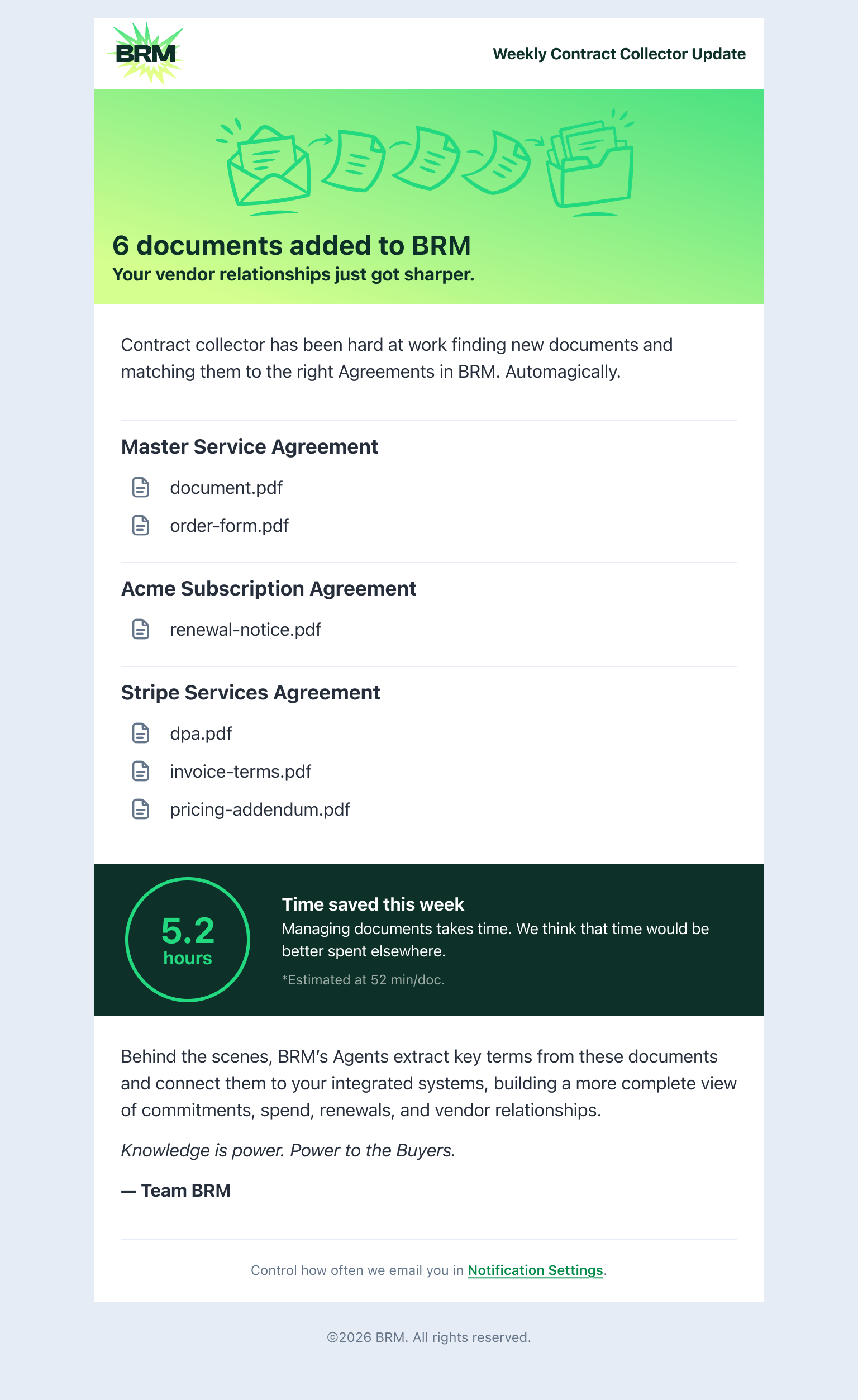
Summary notifications include the count of documents found and links to review them in BRM. No matter which cadence you choose, BRM continues collecting and processing documents in the background.
Below are your notification cadence options:
* **Per document:** You're notified each time a new document is found. This is the default.
* **Daily summary:** You receive one notification per day summarizing all documents found in the last 24 hours.
* **Weekly summary:** You receive one notification per week summarizing all documents found in the last 7 days.
* **Monthly summary:** You receive one notification per month summarizing all documents found in the last 30 days.
 ## How to update your preference
Once signed into BRM, follow these steps to update your preferences:
1. **Open Account Settings**\
Click your profile icon in the top-right corner of BRM, then select **Settings**.
2. In the left sidebar, click **Notifications**.
3. Find the Agreements Section\
Scroll to the **Agreements** section. You'll see notification controls for various agreement-related events.
4. Set Your Cadence\
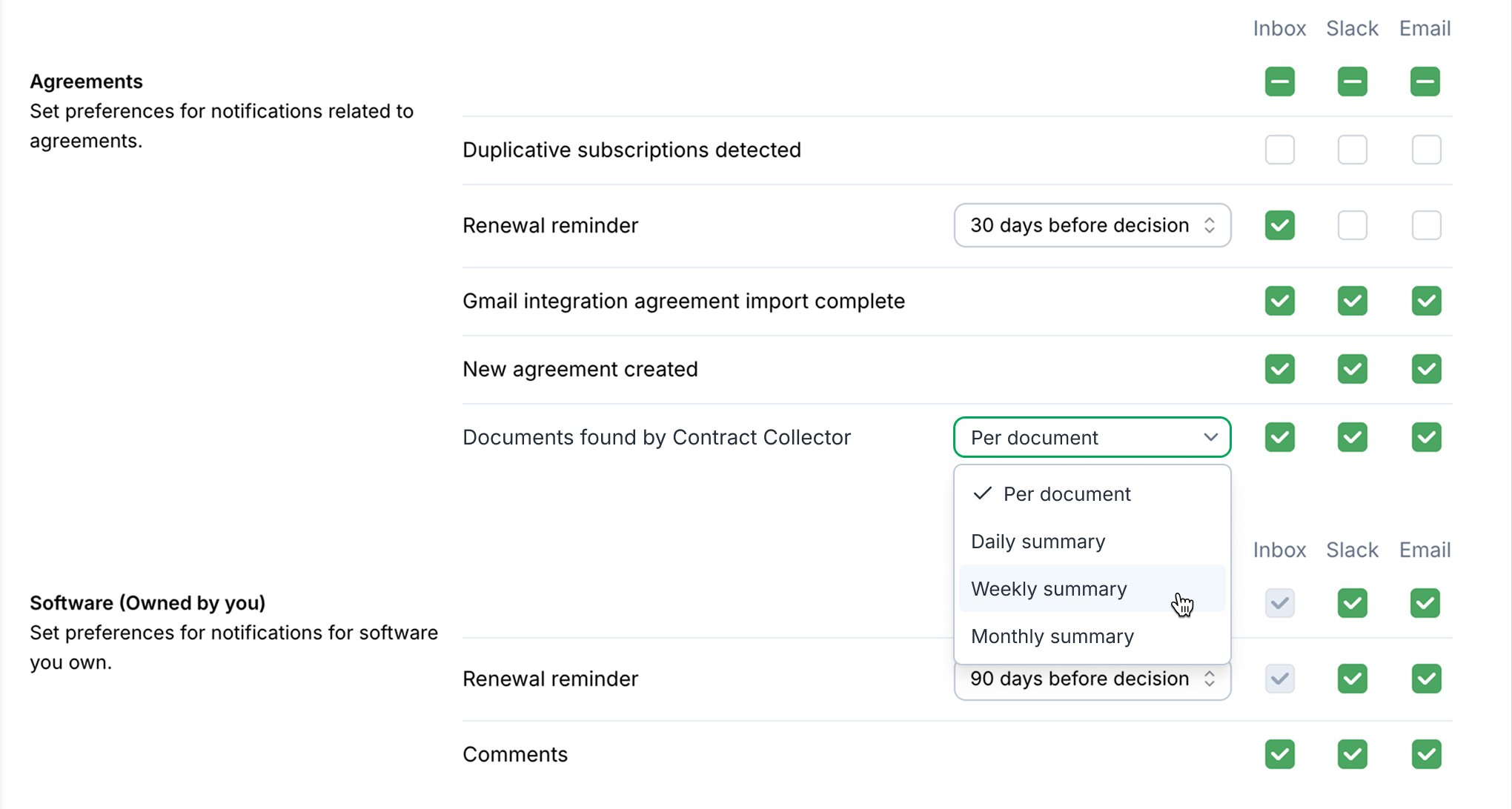
Locate the **Documents found by Contract Collector** row. Click the dropdown and select your preferred frequency: **Per document**, **Daily summary**, **Weekly summary**, or **Monthly summary**.
5. Save \
Your preference is saved automatically. No additional confirmation is needed.
**Tip**\
You can set this preference independently for **Inbox**, **Slack**, and **Email** notifications using the checkboxes in the same row.
## How to update your preference
Once signed into BRM, follow these steps to update your preferences:
1. **Open Account Settings**\
Click your profile icon in the top-right corner of BRM, then select **Settings**.
2. In the left sidebar, click **Notifications**.
3. Find the Agreements Section\
Scroll to the **Agreements** section. You'll see notification controls for various agreement-related events.
4. Set Your Cadence\
Locate the **Documents found by Contract Collector** row. Click the dropdown and select your preferred frequency: **Per document**, **Daily summary**, **Weekly summary**, or **Monthly summary**.
5. Save \
Your preference is saved automatically. No additional confirmation is needed.
**Tip**\
You can set this preference independently for **Inbox**, **Slack**, and **Email** notifications using the checkboxes in the same row.
 ## Choosing the right cadence
* **Per document** is best if you want to review and confirm each agreement as it arrives, or if your inbox doesn't generate many contracts.
* **Daily summary** works well if you want to review newly-found agreements on a regular daily cadence alongside other finance tasks.
* **Weekly summary** is a good fit for teams that do a scheduled weekly vendor or contract review.
* **Monthly summary** is ideal if you have a mature agreement library and mostly want a periodic check on what was auto-captured.
## Need help?
If you have questions about notification settings or Contract Collector, reach out to BRM support.
## Choosing the right cadence
* **Per document** is best if you want to review and confirm each agreement as it arrives, or if your inbox doesn't generate many contracts.
* **Daily summary** works well if you want to review newly-found agreements on a regular daily cadence alongside other finance tasks.
* **Weekly summary** is a good fit for teams that do a scheduled weekly vendor or contract review.
* **Monthly summary** is ideal if you have a mature agreement library and mostly want a periodic check on what was auto-captured.
## Need help?
If you have questions about notification settings or Contract Collector, reach out to BRM support.