Overview
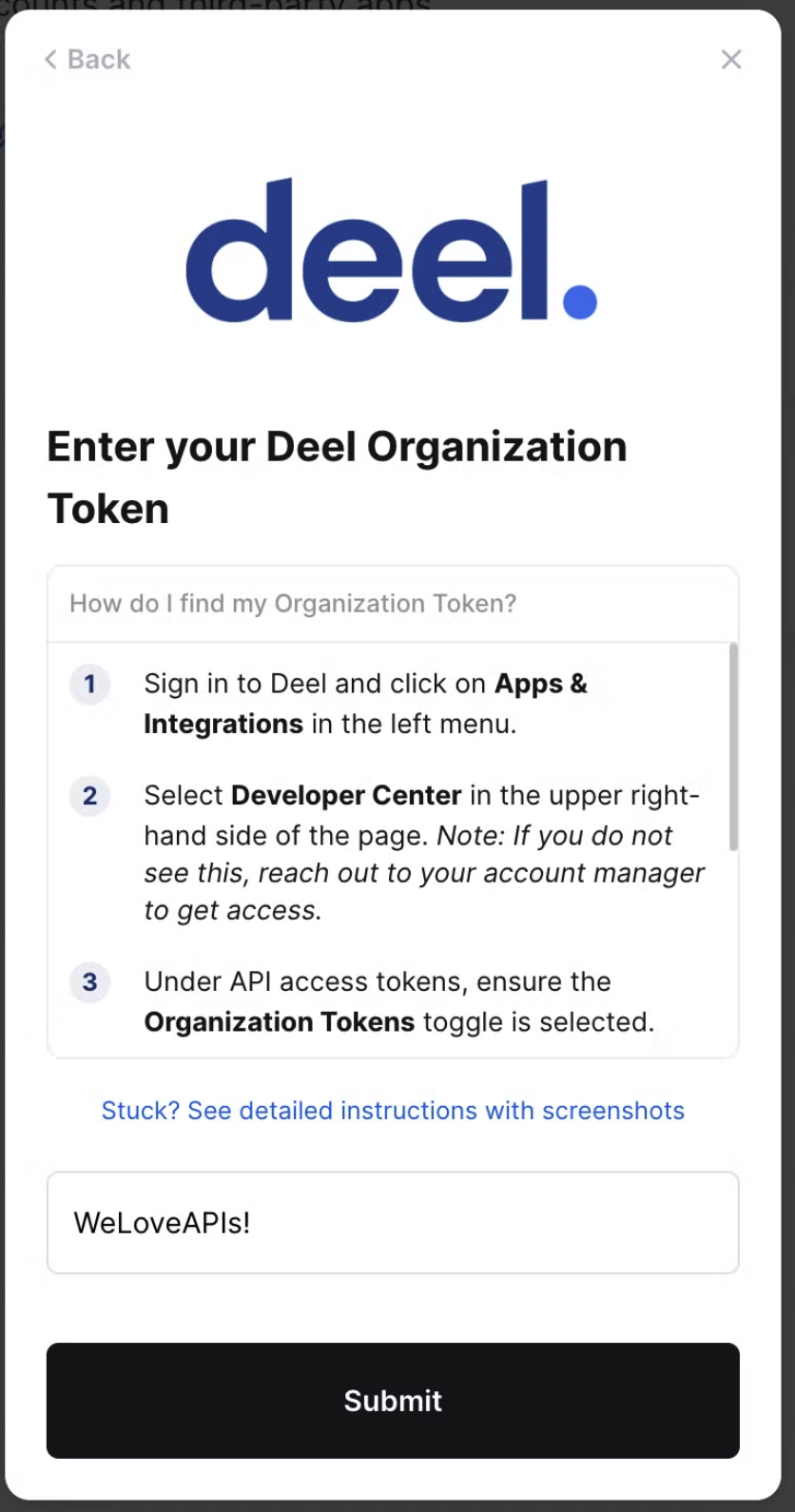
To authenticate Deel, you will need to provide the following information:- Organization Token
Prerequisites
- You must be a Deel admin to complete the linking flow
- Your Deel account must have API access enabled. Contact your Deel account manager to confirm if you are unsure of this
Instructions
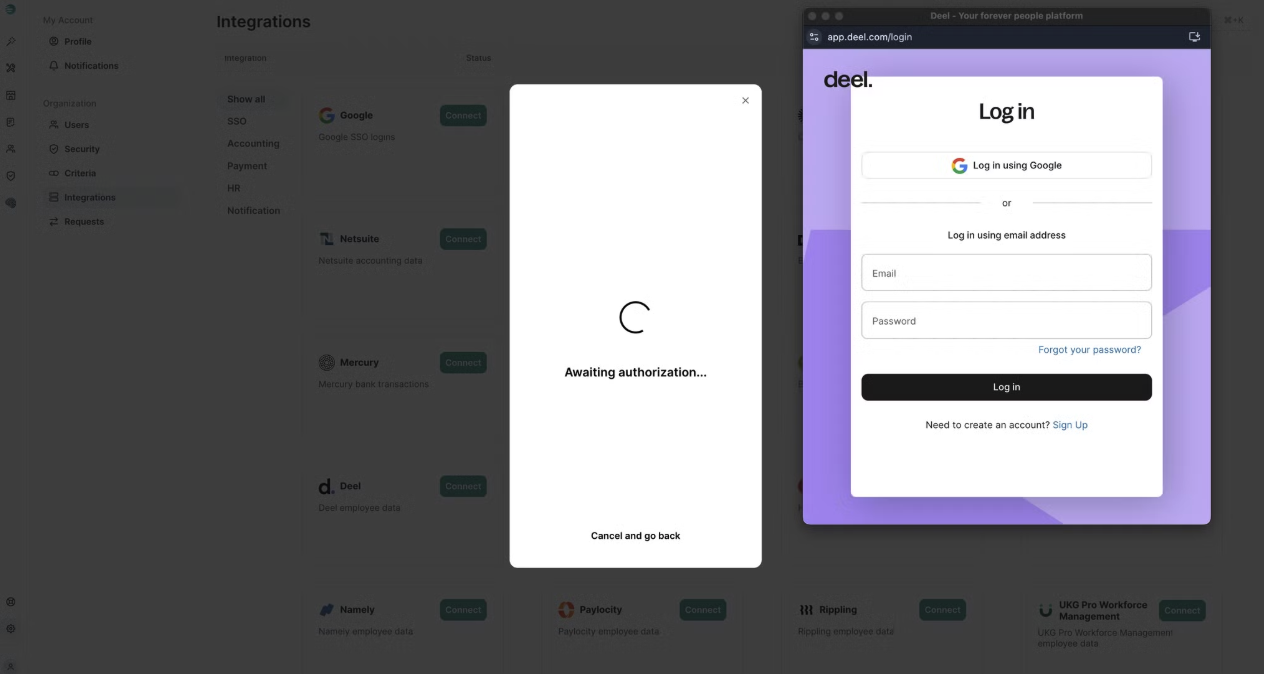
Method 1: User Credentials
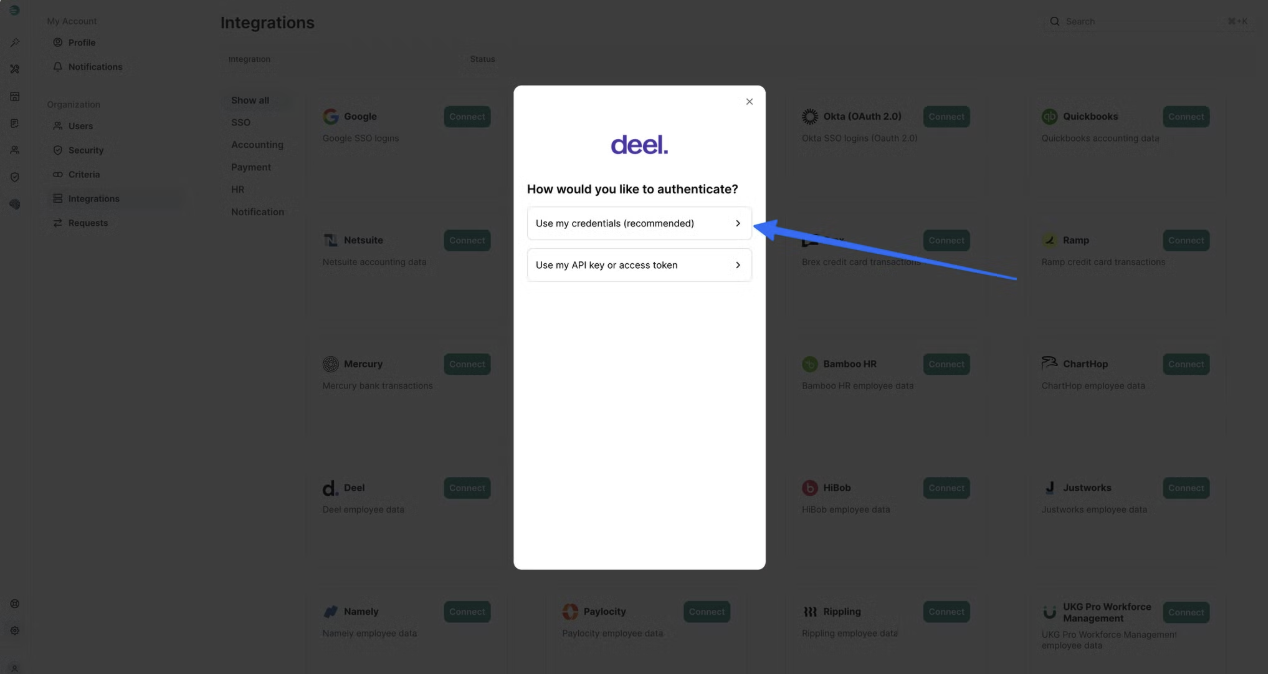
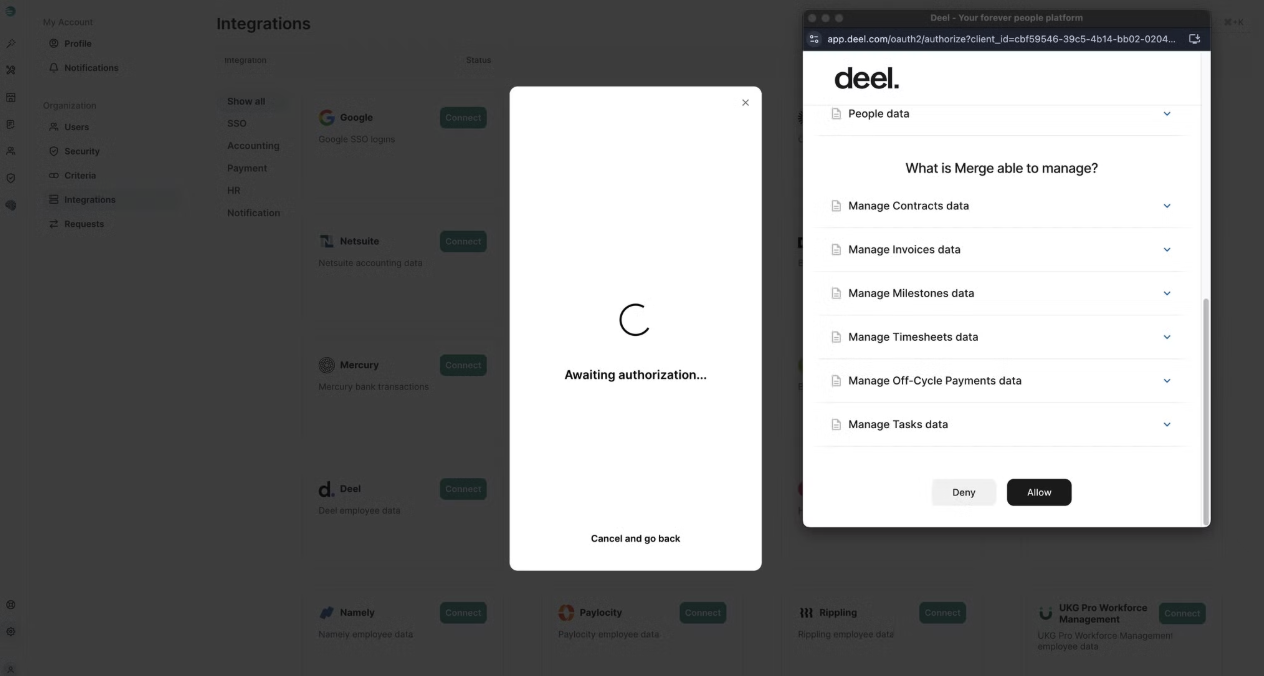
This method is preferred and much quicker and easier. Step 1: Click “Connect” on the Deel integration SelectUse my credentials (recommended)
Method 2: API Token
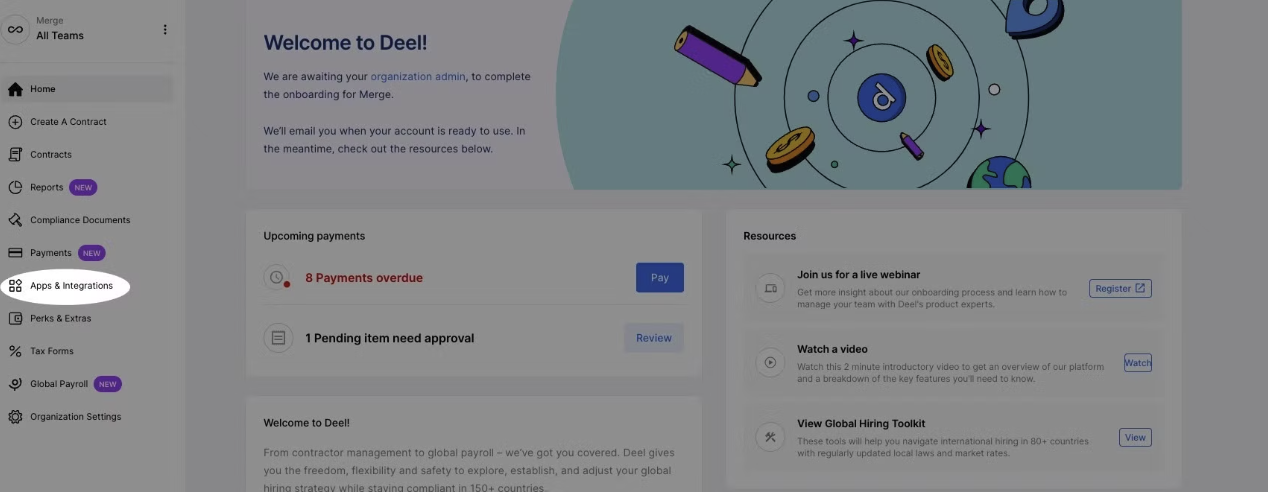
Step 1: Create an organization token- In your Deel portal, go to Apps & Integrations on the left-hand side
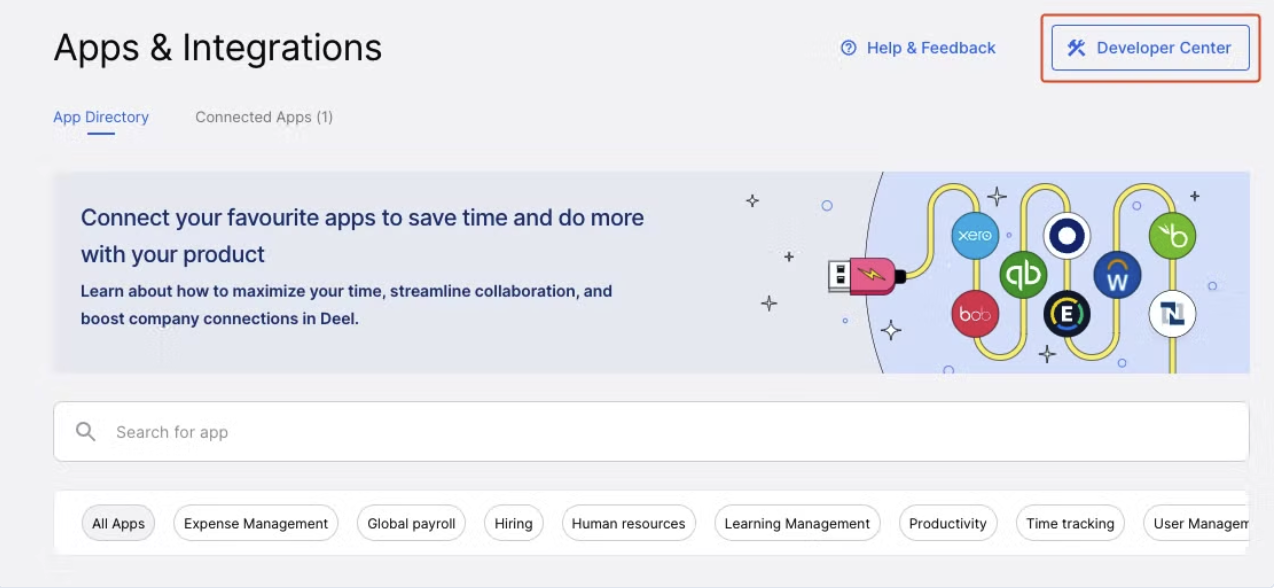
- In the upper right, go to developer center
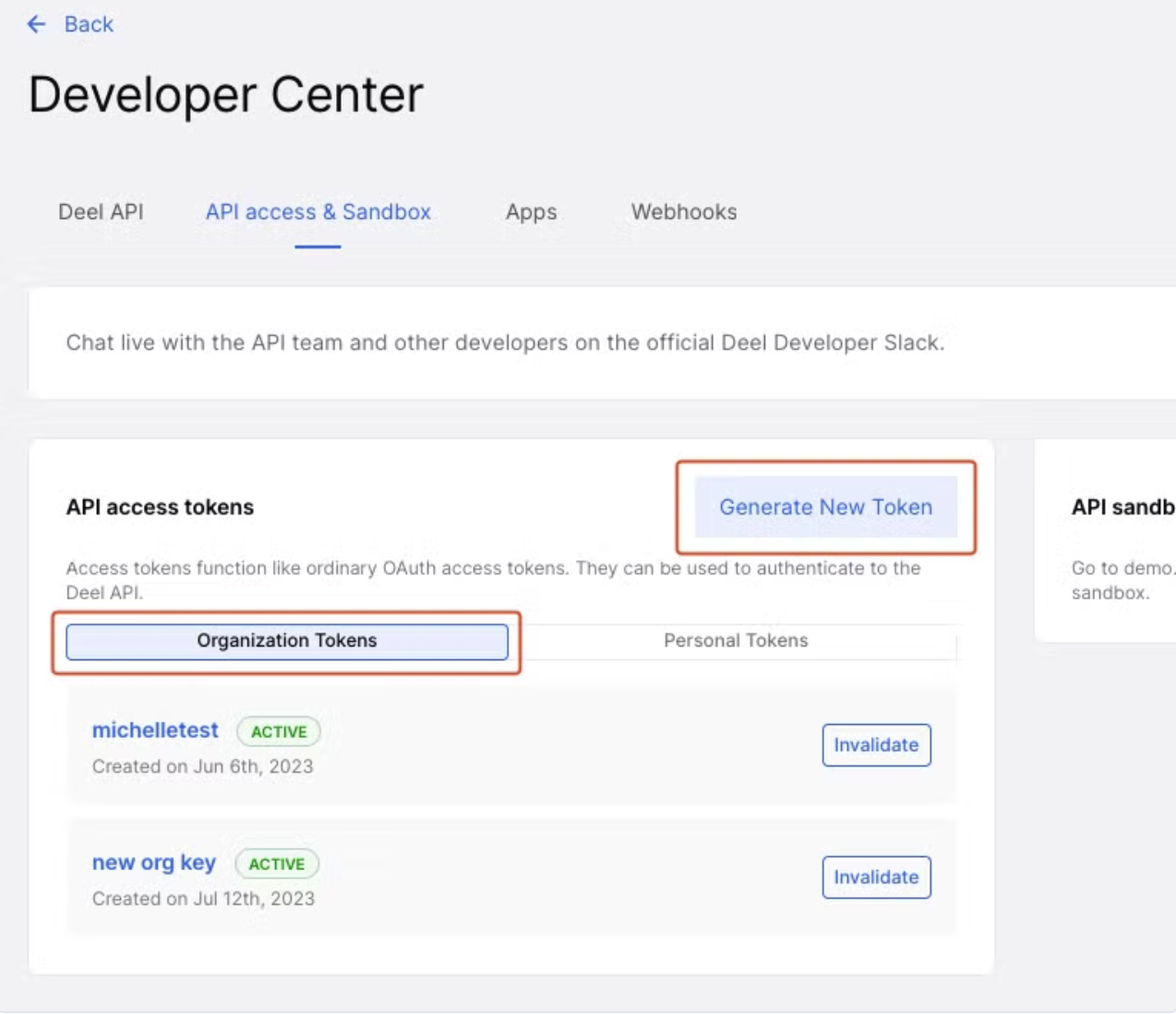
- Click generate new token under organization tokens
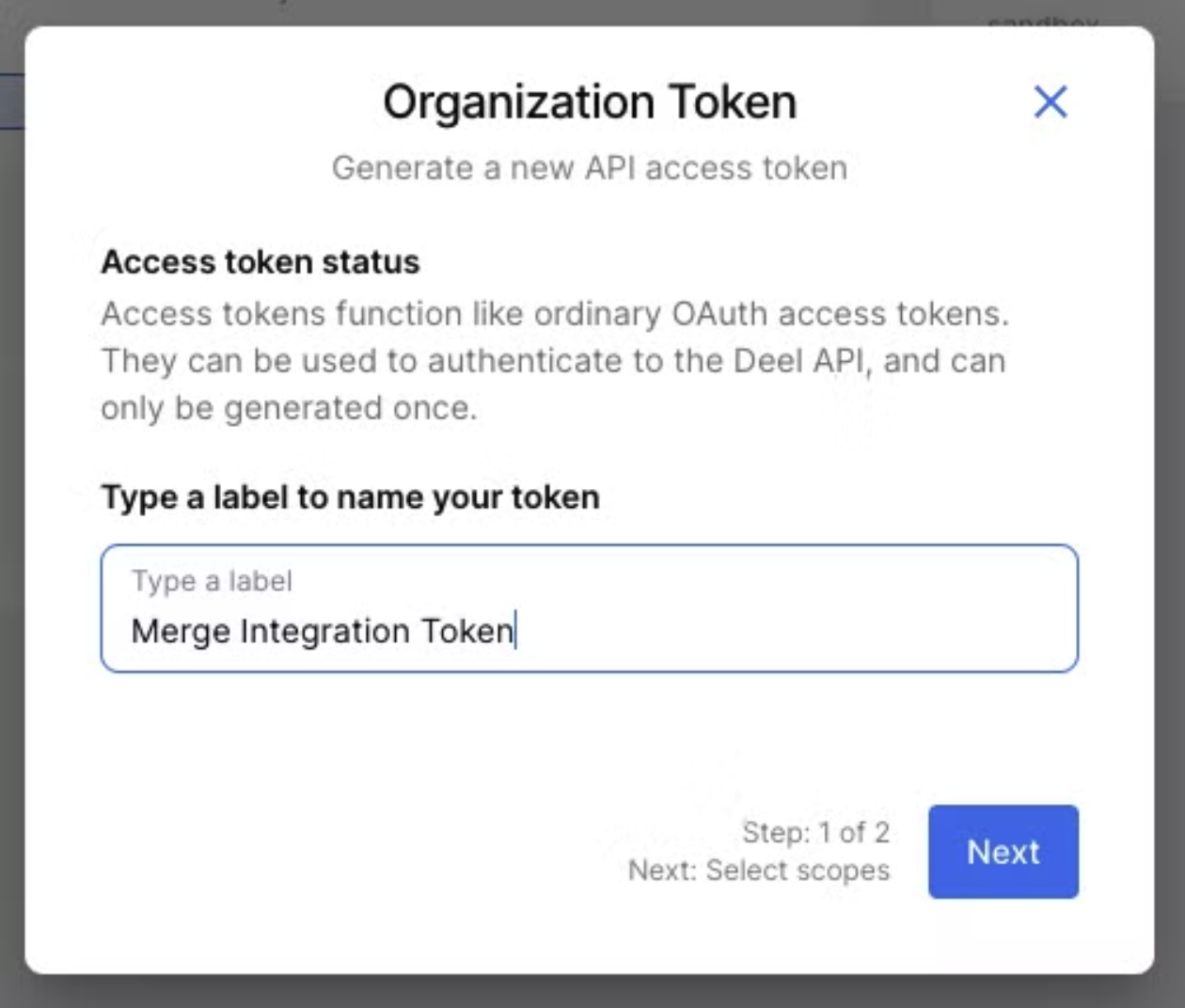
- Label your organization token and click next
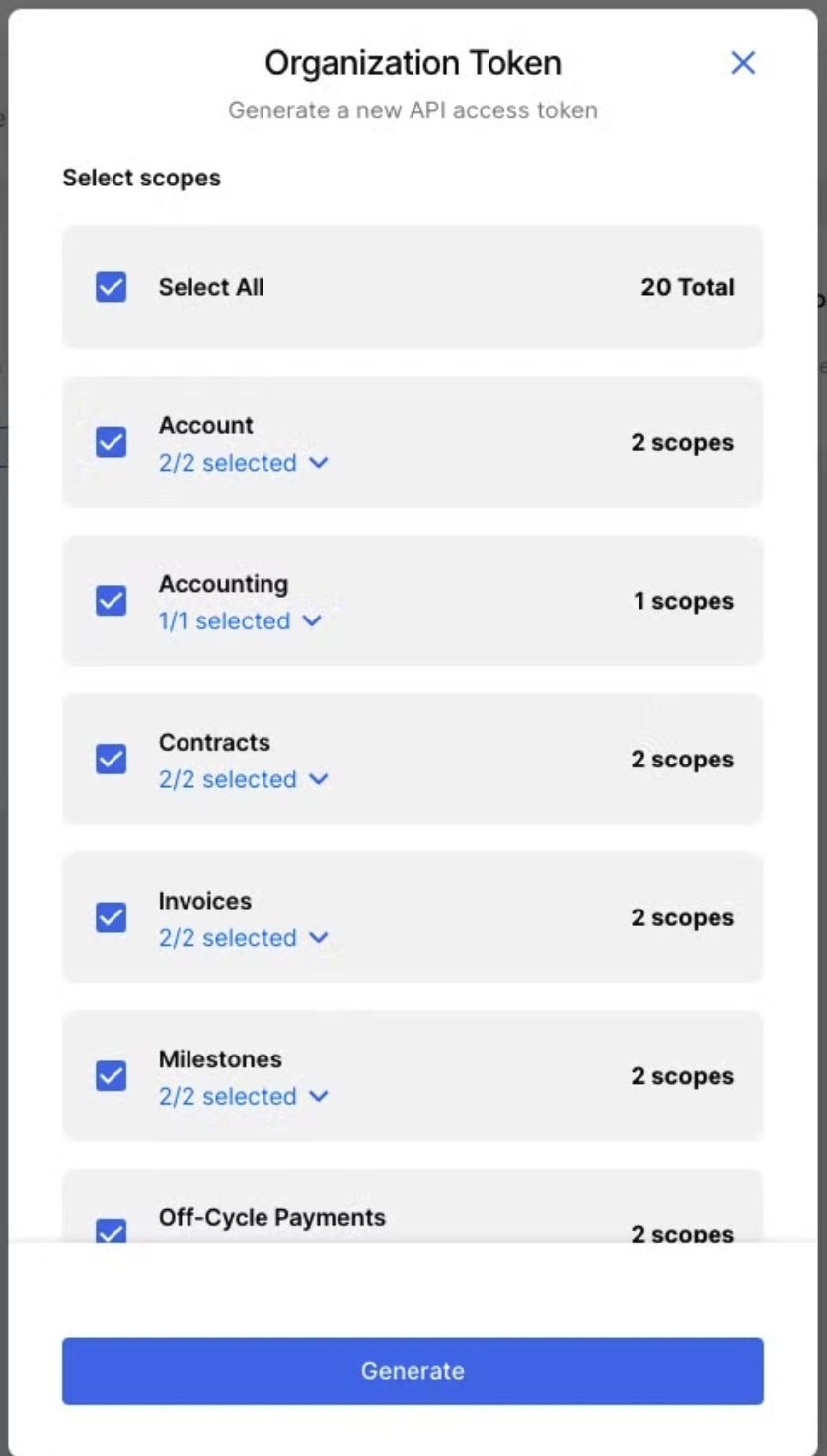
- Select all scopes to add to your organization token and click generate