What Is the Relationship View?
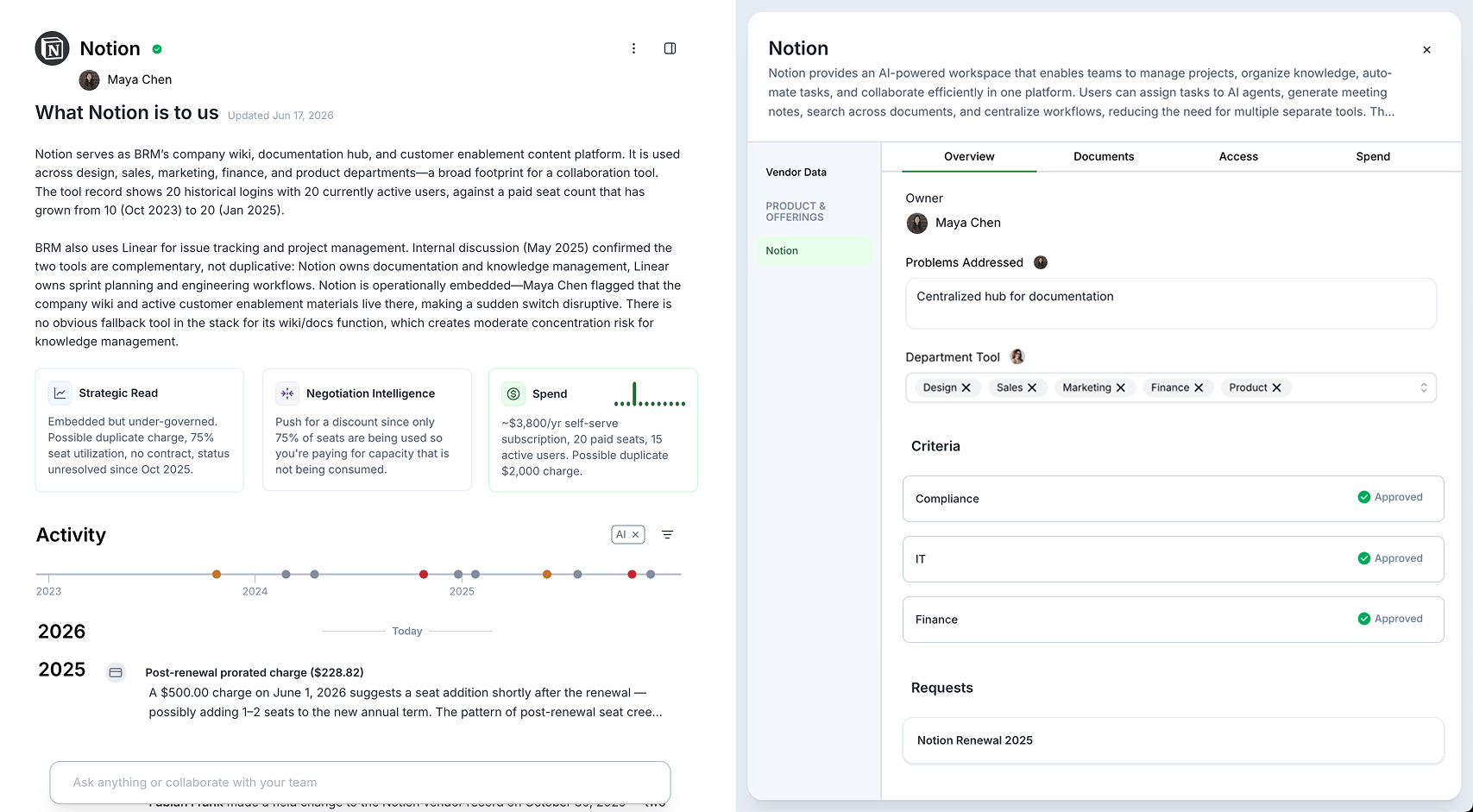
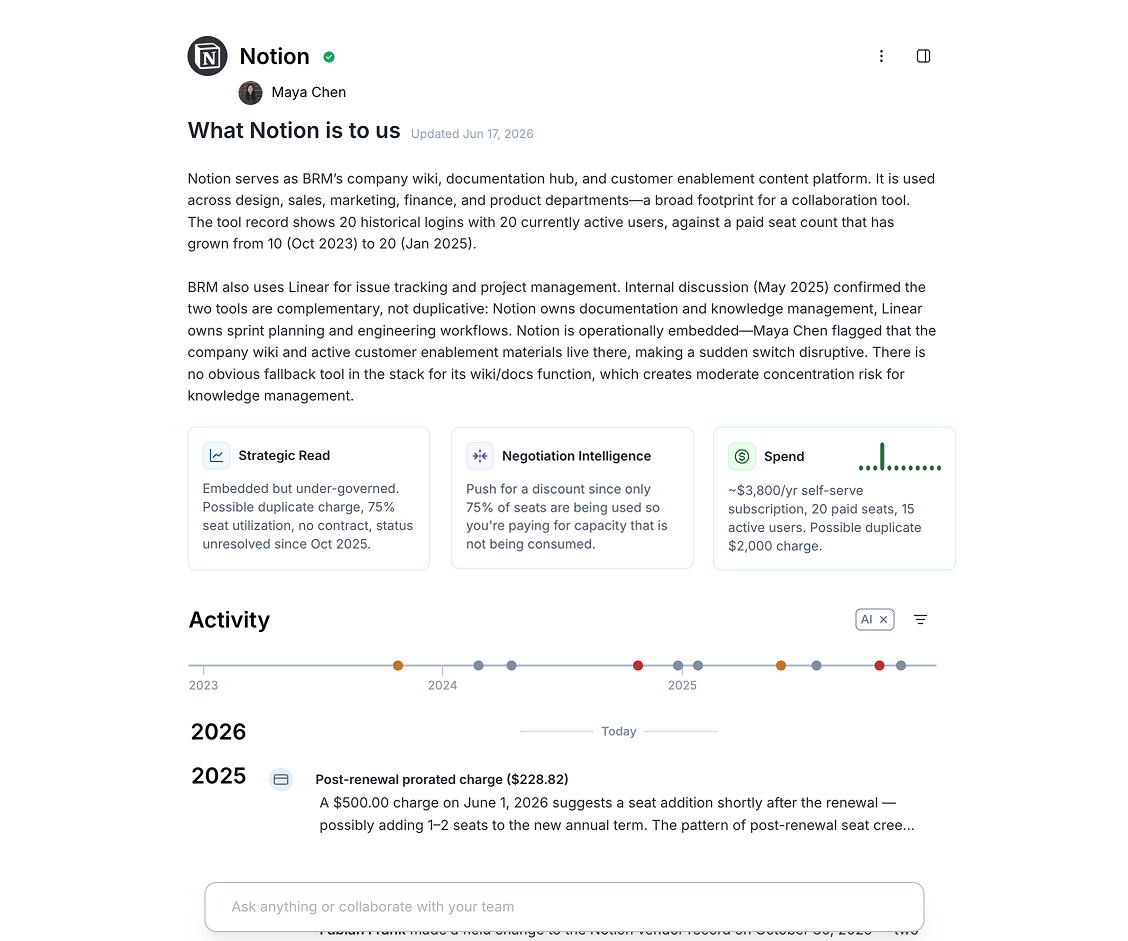
The Relationship View is a dedicated page in BRM for every vendor in your portfolio. Click a vendor and BRM immediately shows you everything it knows about that relationship — assembled, synthesized, and ready to act on. Whether you need to make a decision on a vendor, answer a question, or bring insights to the business, you need to know your relationship with that vendor. You will need to know key details like:- Who is this vendor to us?
- How are they used, and who uses them?
- How much do we pay?
- Who owns this vendor internally?
- Are we actually using the product?
- Are they delivering what was promised?
- Do we have any discounts? If so, what is the story behind them, and can we expect those to extend?
- 📄 Foundational: Contracts, amendments, SOWs, order forms, renewal terms — the skeleton of the relationship.
- 📊 Performance: Invoices, payment records, SLA data, and delivery confirmations — whether the relationship is healthy on paper.
- 💬 Communication: Emails, escalations, negotiation context — the texture of the relationship that connects everything else.
- 🧠 Relationship Intelligence: Key contacts, org changes, renewal risk signals, strategic importance — what the relationship tells you about the future.
Quick Start
Getting to any Relationship View takes two clicks.- **Log in to BRM: ** Head to your BRM workspace.
- **Go to Vendors: ** The Vendors list shows every vendor in your portfolio.
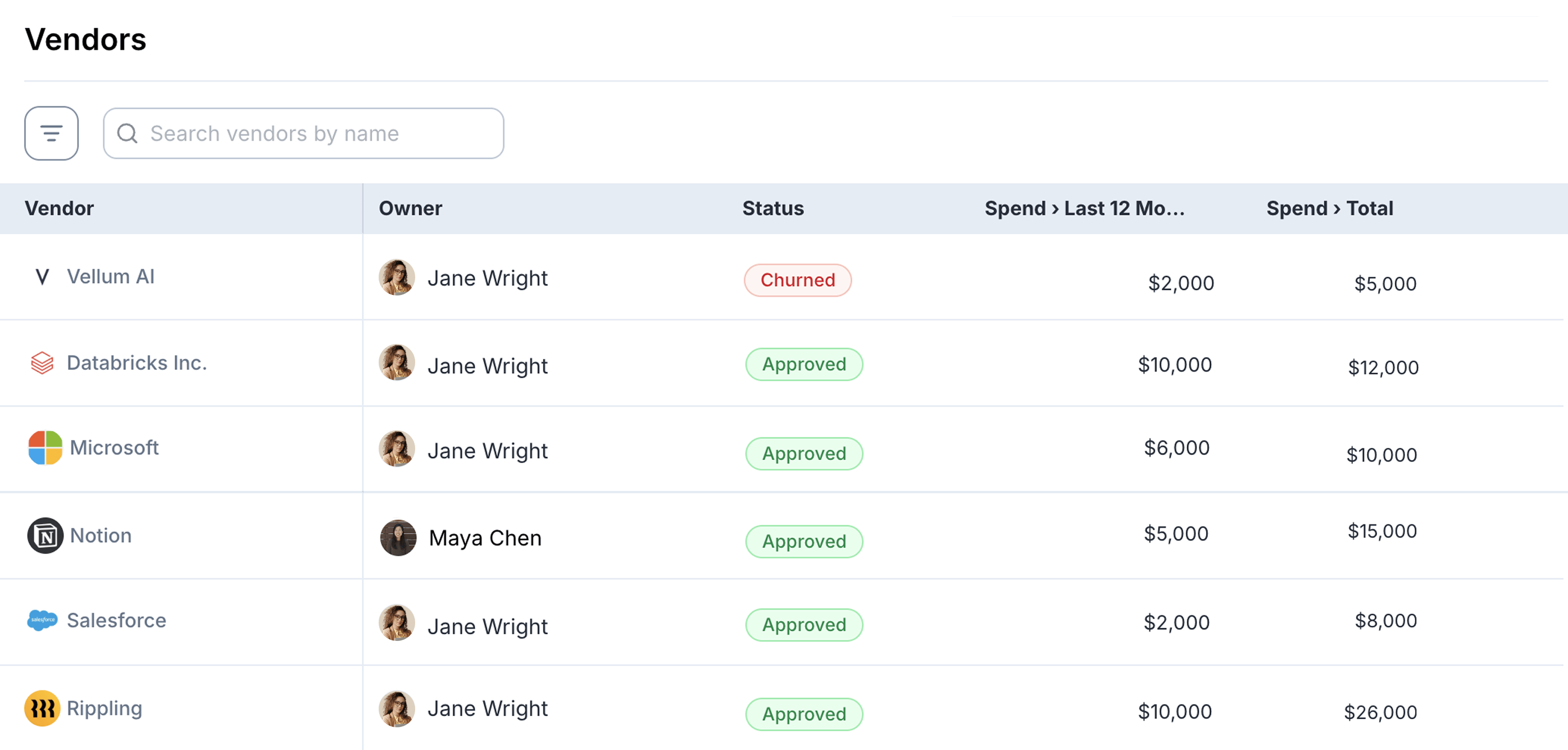
- **Click any vendor: ** The Relationship View is the default page for every vendor in BRM.
- **View your Relationship: ** BRM has assembled everything it knows. You didn’t have to ask.
What You’ll See
The Relationship View is organized into sections, each designed to answer a different set of questions about the vendor relationship. Together, they form a picture of the relationship that would have taken hours to assemble manually.Vendor Identity & Relationship Status
The vendor’s name and logo, alongside your relationship status and the internal owner assigned to this vendor.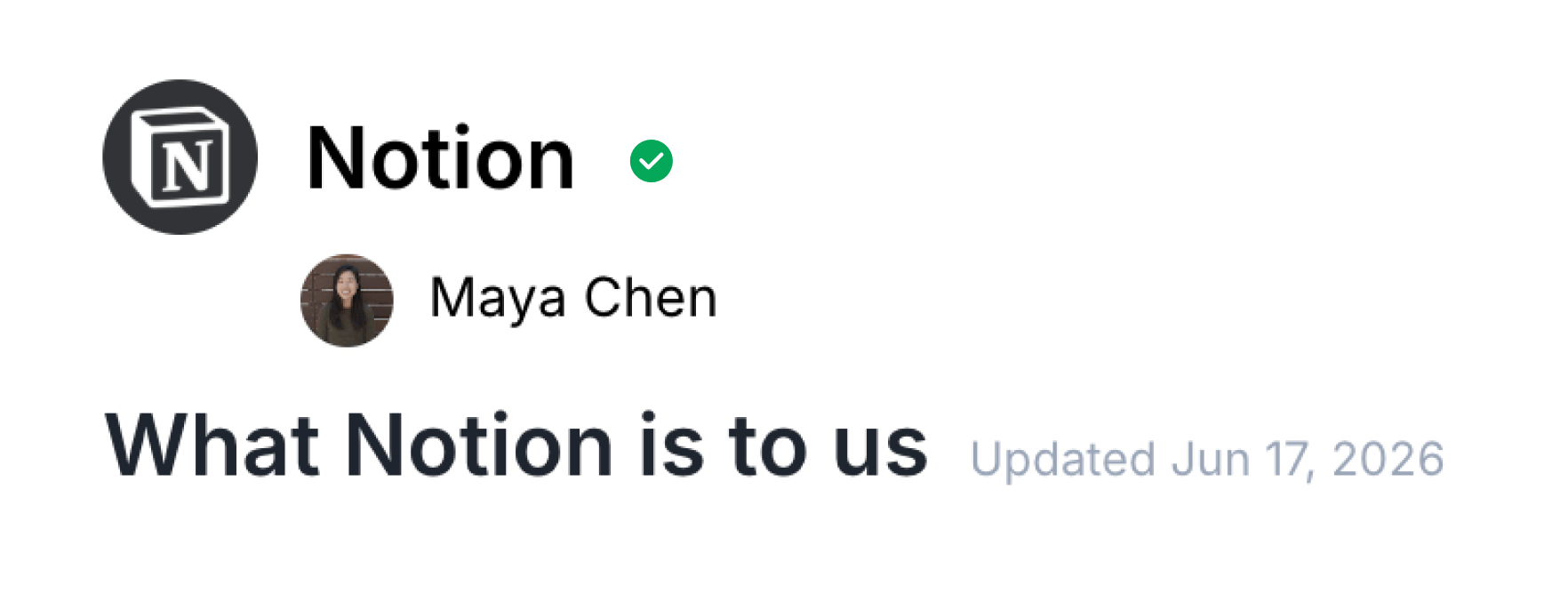
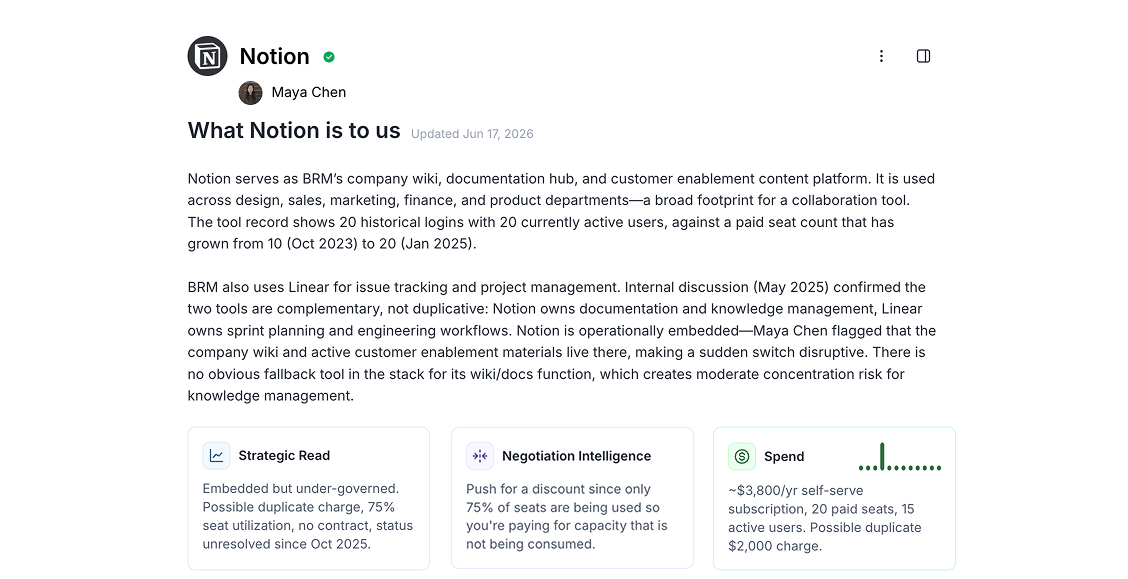
Relationship Overview
The heart of the Relationship View. An AI-generated briefing of the entire vendor relationship, structured so you can read it in two minutes and walk into any conversation prepared. It covers:- What this vendor is to you: What they actually do for your business, how deeply they’re embedded, and whether the relationship is strategic, transactional, or something in between.
- Commercial terms: Every active agreement, spend trajectory, billing structure, payment methods in use, and what’s missing from your commercial record.
- Key relationship contacts: Named contacts on both sides, their roles, anyone who has departed, and where continuity risk lives.
- Performance: How the vendor has actually shown up, including support responsiveness, incident history, and whether they’ve followed through on commitments. Specific incidents, named and dated, are all included in this view.
- Relationship texture: Is there a strategic layer beyond the transactional? Exec connections, partnerships, warmth — assessed for whether it’s genuine or simply relationship management.
- Strategic read: True relationship health, key risks, open threads, and what deserves attention before the next conversation.
- Negotiation intelligence: Specific opportunities for the next renewal, with the basis for each. What you don’t yet know. Account continuity risks. And the strategic question: at your current scale, is this still the right vendor?
Activity Timeline
A complete chronological record of the relationship — from the very first interaction to today. Two types of events appear on the timeline:- Milestone events: AI-synthesized moments that shaped the relationship: contracts signed, significant payments, ownership changes, renewal decisions. Each one is contextualized — not just “contract signed” but what that event means for where the relationship stands today.
- Email events: Individual emails between your team and the vendor, surfaced from email ingestion and placed in chronological context. The failed payment email. The renewal negotiation that happened six months before the formal contract date. All of it, visible.

Ask BRM
A persistent AI search bar, grounded in the full context of this specific relationship. Ask anything:- “What’s the auto-renewal clause and notice window?”
- “How much have we spent year-to-date vs. what we contracted?”
- “Have there been any unresolved payment failures?”
- “What did we agree to on implementation fees before the deal closed?”
- “Who owns this relationship and when did they take it over?”
Details panel
A slide-out drawer, accessible by clicking the icon button in the upper right-hand corner, with the supporting detail behind the overview, organized into three to four areas:- Overview: Includes additional high-level details of the Relationship, such as owners, criteria (role-based data on the vendor, only viewable with the appropriate permissions), and requests (a compilation of all new, archived, and current requests related to the vendor).
- Documents: Displays source files: MSAs, order forms, amendments, SOWs, and any supporting documents linked to this vendor.
- Access (software-only): Shows vendor usage details across individuals and teams, such as when users last logged in, and the percentage of active users.
- Products & Offerings: Every product and offering associated with this vendor is mapped from their agreements, so you can see everything you have paid for for each vendor.
- Spend: Shows all historical spend across your vendor, broken down by products.