

Notification cadence options
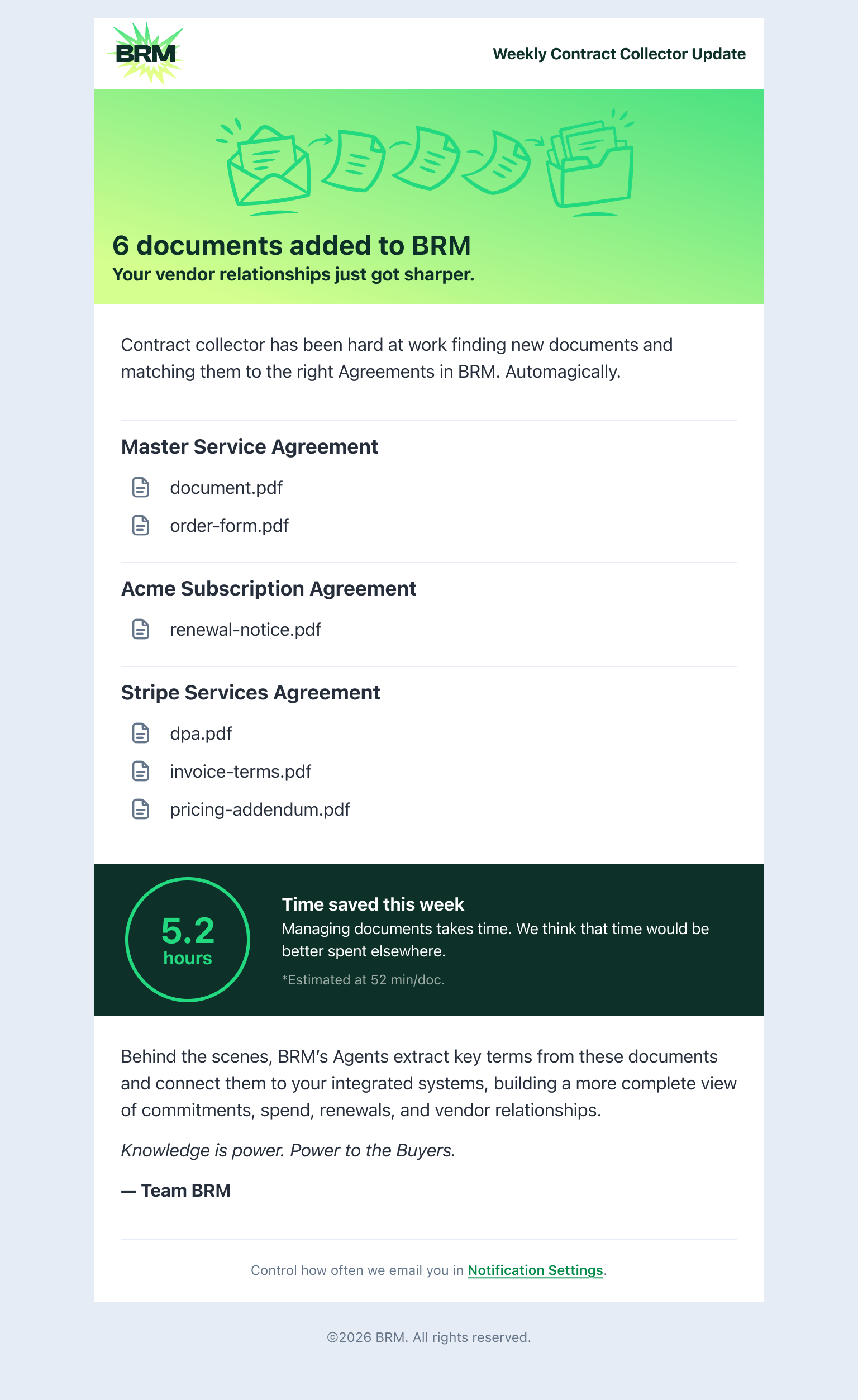
Summary notifications include the count of documents found and links to review them in BRM. No matter which cadence you choose, BRM continues collecting and processing documents in the background. Below are your notification cadence options:- Per document: You’re notified each time a new document is found. This is the default.
- Daily summary: You receive one notification per day summarizing all documents found in the last 24 hours.
- Weekly summary: You receive one notification per week summarizing all documents found in the last 7 days.
- Monthly summary: You receive one notification per month summarizing all documents found in the last 30 days.
How to update your preference
Once signed into BRM, follow these steps to update your preferences:- Open Account Settings
Click your profile icon in the top-right corner of BRM, then select Settings. - In the left sidebar, click Notifications.
- Find the Agreements Section
Scroll to the Agreements section. You’ll see notification controls for various agreement-related events. - Set Your Cadence
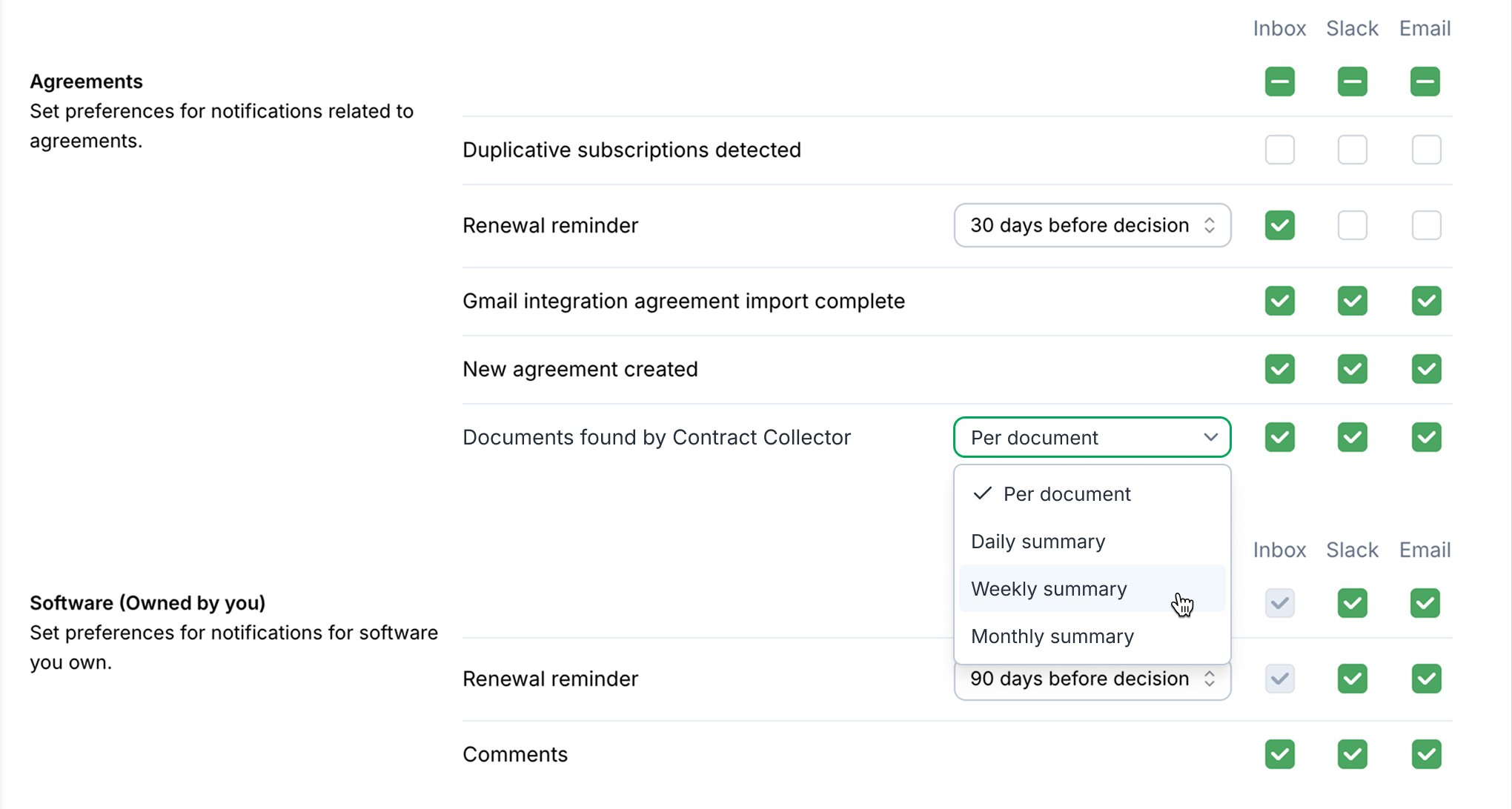
Locate the Documents found by Contract Collector row. Click the dropdown and select your preferred frequency: Per document, Daily summary, Weekly summary, or Monthly summary. - Save
Your preference is saved automatically. No additional confirmation is needed.
You can set this preference independently for Inbox, Slack, and Email notifications using the checkboxes in the same row.
Choosing the right cadence
- Per document is best if you want to review and confirm each agreement as it arrives, or if your inbox doesn’t generate many contracts.
- Daily summary works well if you want to review newly-found agreements on a regular daily cadence alongside other finance tasks.
- Weekly summary is a good fit for teams that do a scheduled weekly vendor or contract review.
- Monthly summary is ideal if you have a mature agreement library and mostly want a periodic check on what was auto-captured.