

Overview
We designed our contract collector to minimize the amount of data we consume from your inbox, while still collecting every agreement.- While we do check all of your emails so we don’t miss any critical vendor documents, the majority of emails in your inbox will be filtered out before we even looks at the subject lines or senders.
- Additionally, we only store vendor documents that are verified by a user within we – no other data from your inbox is retained.
How we process your emails to find vendor agreements
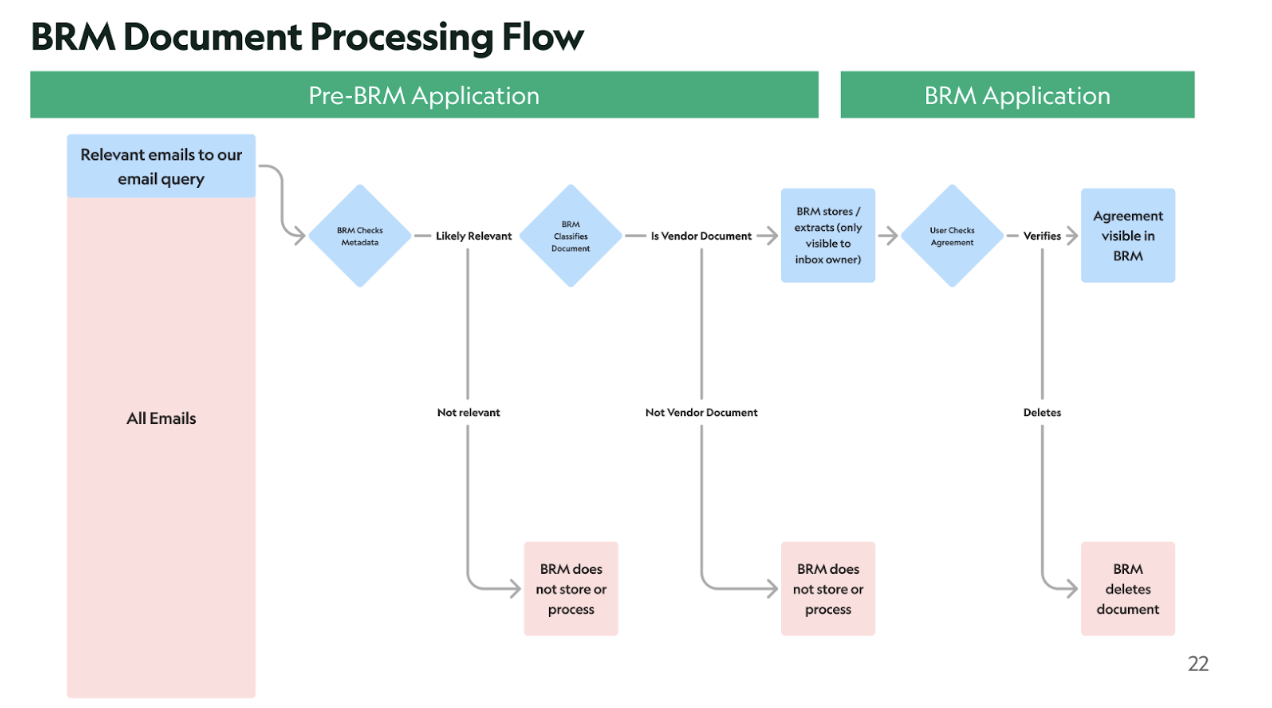
We securely identifies and handles your agreements using a streamlined process:- We search your email - we filter for emails that have attachments. Those emails go to step 2.
- We read the email metadata (like email sender or subject). We search for vendor specific key words in the subject and body. Only emails that seem like they could contain vendor contracts go to step 3.
- We read the attached documents and use AI to classify whether it is a vendor contract as a second line of defense to ensure it is a vendor contract. All vendor contracts move to stop 5.
- Only vendor contract related documents are processed, extracted and stored.
- Finally, we ask users to verify the vendor document - now an Agreement in BRM. If a user rejects the Agreement, the document is deleted.
Agreement visibility within BRM
When we find an agreement in a user’s inbox, the user is prompted to verify the agreement from a task in the user’s BRM task list. In BRM Enterprise: When an agreement is unverified, the following can see it:- The user who was the source of the agreement
- That user’s delegates
- BRM super admins
- The user who was the source of the agreement
- That user’s delegates
- BRM super admins
- Users with legal permission
- Owner of the software / vendor
- Super Admin
- Agreement Manager
- Super Admin
- Agreement Manager
- Users
What data BRM has access to in your inbox
In order to find vendor contracts in your inbox, we need access to search your email for relevant documents, read the metadata of the email (sender, subject), and download attachments. We only request access to what we need. We request the following permissions from Gmail: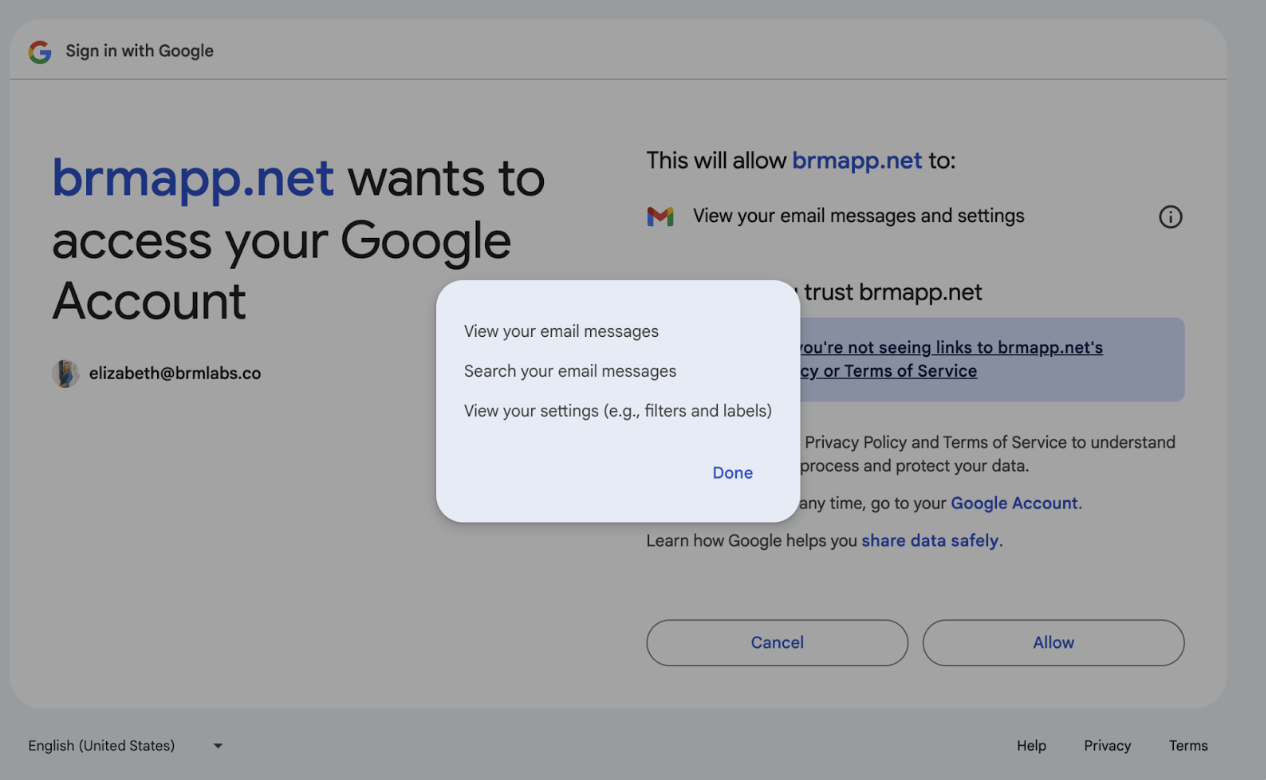
- Search your email messages to filter out emails that aren’t relevant to vendor contract management.
- View your email messages to analyze the email metadata (sender, subject) and gain access to the email attachments.
- View your settings (such as filters and labels) to help find relevant agreements.